 PanoRyse
Settings and performance
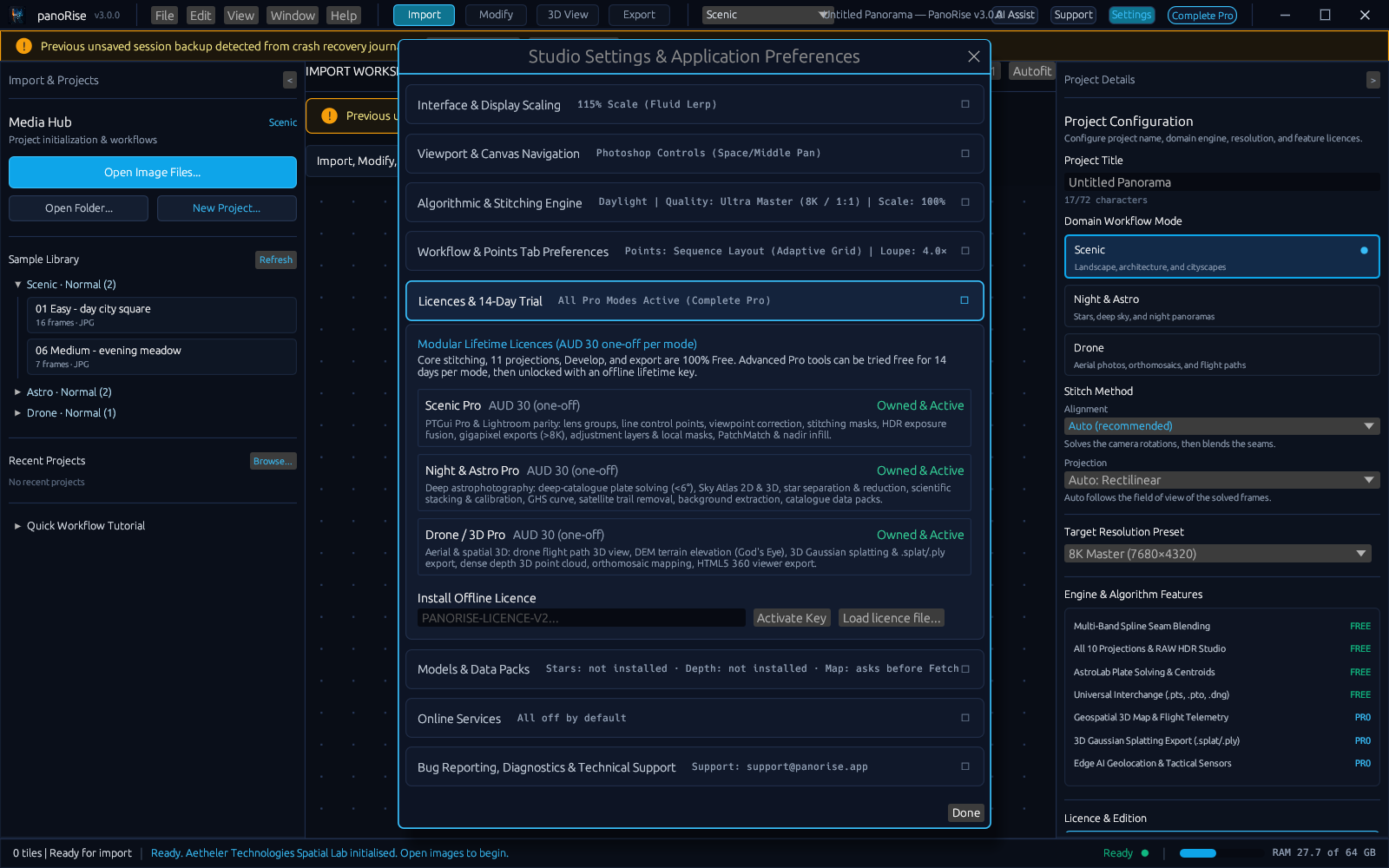
Open Settings on the top bar. The window is an accordion: one section is open at a time.
The Settings sections
| Section | What it holds |
|---|---|
| Interface & Display Scaling | The size of the whole interface: 100% Standard, 115% Balanced (the default), 125% Comfortable, 150% High-DPI, 175% Large, 200% Ultra, and Nudge -5% / Nudge +5%. The change eases in over a few frames. |
| Appearance | The colour theme, with a preview card for each: PanoRyse Default (slate and sky blue), Dark and Light (neutral greys with one blue accent). The sun and moon button at the top right of the title bar switches between Light and Dark; right-click it for all three. The choice is remembered. |
| Viewport & Canvas Navigation | Mouse presets: Photoshop (middle drag or Space + left drag to pan), Lightroom (left drag with the hand tool, or middle drag), PTGui (right or middle drag), or Custom, with an option to invert the scroll-wheel zoom. Left drag never pans while a tool such as Crop, Mask or the before/after split is active. |
| Algorithmic & Stitching Engine | The default alignment, feature detector and solver; GPU acceleration; the camera raw demosaic; preview quality; the memory budget; quality notifications; Remind me when a large preview slows the viewer; and When an edit needs a stitched panorama (Ask first, Stitch it, Leave unstitched). |
| Workflow & Points Tab Preferences | How the Points tab shows pairs, the default loupe zoom and the sequence layout. |
| Licences & 14-Day Trial | Your segments, their trials, Load licence file... and the licence key field. |
| Models & Data Packs | Every pack with its state, Install pack from file..., Rescan, and the catalogue downloads. See Getting started. |
| Online Services | Whether map and terrain fetches ask before sending a photo's coordinates, and the switch for the Sky Atlas name lookup (CDS Sesame). |
| Bug Reporting, Diagnostics & Technical Support | Bug reports and support. |
Preview size
PanoRyse edits a preview of your picture and renders the export at full resolution from the same pipeline, so a smaller preview is faster without changing the result. The sizes are Draft (1280 px), Full HD (1080p), Balanced (2.5K), High-Res (4K) and Ultra Master (8K or 1:1). Choose it from the preview control on the canvas toolbar, or Preview Render Resolution in the Stitch panel.
When the viewer stays under 30 frames a second for two seconds with a preview larger than 1920 px, a card suggests a smaller preview ("Large preview is slow", with Use 1080p and Use 2.5K). It appears at most once per project; the setting above turns it off.
GPU and renderer
- Stitching runs on the processor, using every core; warping and multi-band blending can use the graphics card (GPU acceleration in the Engine section shows which card is in use).
- The window draws with OpenGL and falls back to DirectX 12, or to Windows' software renderer on machines without a graphics card. To force one, start PanoRyse with
--renderer=glow,--renderer=wgpuor--renderer=software.
Large projects
- A project holds a fixed budget of source pixels in memory. Larger sets load as smaller working copies (proxies); the gigapixel tiled TIFF renders from the original files.
- Sets of more than 40 frames are matched along the capture order and with the frames that look most alike, never every pair against every other, so large grids stay quick.
- Frames with little detail (plain sky, water) are placed from the shooting pattern and reported, never hidden.
- Exports and stitches run in the background; the canvas keeps showing the last result.
Your work is safe
- Every window keeps a crash-recovery journal. If PanoRyse closes unexpectedly, the next start offers Restore Session.
- Closing with unsaved changes asks whether to save.
- Your interface preferences (panel widths, recent projects, and every "don't ask again" and "remember" choice) are kept when you restart.
- File > Version History... keeps versions of a saved project beside it, without copying your photos.
- A damaged or unusual file is reported as an error for that file, not a crash.